


Barcode Scanner Buying Guide: Features to Consider Before You Buy
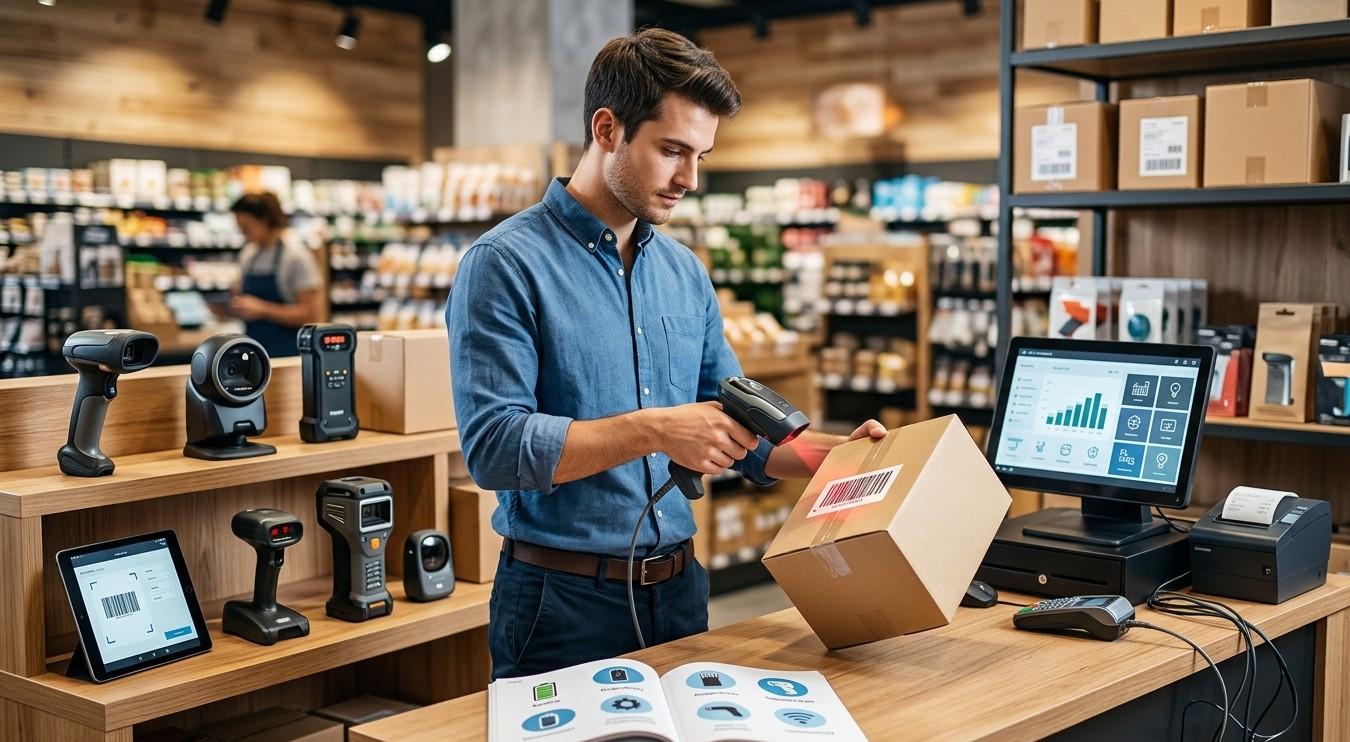
Barcode scanners have become an essential tool for businesses that need fast and accurate product identification, inventory management, billing, asset tracking, and data collection. From retail stores and warehouses to manufacturing facilities, healthcare organizations, and logistics companies, the right barcode scanner can significantly improve productivity while reducing manual data-entry errors.
However, choosing a barcode scanner is not always straightforward. Different scanners are designed for different barcode types, scanning distances, operating environments, and workloads. Before making a purchase, businesses should understand the key features that determine scanner performance and suitability.
Pointus Solutions provides businesses with barcode and identification technologies for a wide range of applications. Organizations looking to Shop Barcode equipment can find different scanning and identification solutions along with other Printing Products designed to support efficient business operations.
What Is a Barcode Scanner?
A barcode scanner is an electronic device that reads information encoded within a barcode and converts it into digital data. The scanner captures the barcode using an optical sensor, camera, or laser-based technology and sends the decoded information to a computer, POS system, mobile device, or business application.
Barcode scanners are commonly used for:
- Product scanning
- Retail checkout
- Inventory management
- Warehouse operations
- Shipping and receiving
- Asset tracking
- Manufacturing
- Healthcare identification
- Library management
- Document and ticket processing
By automating barcode data capture, scanners can help employees process information faster and more consistently than manual entry.
Why Choosing the Right Barcode Scanner Matters
Not every barcode scanner is suitable for every business. A scanner designed for a retail checkout counter may not be appropriate for a large warehouse, while a basic handheld scanner may not meet the needs of employees working in a cold or dusty industrial environment.
The right scanner can provide:
- Faster scanning
- Better barcode readability
- Greater employee productivity
- Reduced data-entry errors
- Improved inventory accuracy
- Better workflow efficiency
- Reliable operation
- Lower long-term operating costs
Before purchasing, businesses should consider how, where, and how frequently the scanner will be used.
1. Determine Which Barcode Types You Need to Scan
One of the first things to consider is barcode compatibility.
Barcodes generally fall into two major categories: one-dimensional and two-dimensional.
1D Barcodes
Traditional 1D barcodes use vertical lines and spaces to encode information. Common examples include UPC, EAN, Code 39, and Code 128.
They are widely used in:
- Retail
- Warehousing
- Manufacturing
- Shipping
- Inventory management
If your business only uses standard 1D product and inventory barcodes, a basic 1D scanner may be sufficient.
2D Barcodes
2D barcodes store information in a two-dimensional pattern. QR codes and Data Matrix codes are common examples.
They can store more information than traditional 1D barcodes and are increasingly used for:
- Product identification
- Mobile payments
- Asset tracking
- Healthcare
- Manufacturing
- Product authentication
- Digital marketing
If your business uses QR codes or Data Matrix codes, choose an imaging scanner capable of reading 2D barcodes.
2. Choose Between Laser and Imager Technology
Barcode scanners use different scanning technologies.
Laser Scanners
Laser scanners use a laser beam to read traditional 1D barcodes. They can provide fast and reliable scanning for suitable applications.
They are often used in traditional retail and other environments where 1D barcodes are the primary requirement.
Area Imagers
Area imagers use a camera-based system to capture and decode barcodes. They can typically read both 1D and 2D barcodes.
They may also be capable of scanning barcodes from mobile phone screens, tablets, and other digital displays.
For businesses that need flexibility and future compatibility with 2D barcodes, an area imager can be a practical choice.
3. Consider the Scanning Distance
Scanning distance is particularly important in warehouses, distribution centers, and large storage environments.
Some scanners are designed for close-range scanning, while long-range models can read barcodes from several feet away.
Ask:
- How far will employees typically be from the barcode?
- Are labels placed on high shelves?
- Do workers need to scan pallets from a distance?
- Will barcodes be scanned from large packages?
If workers need to scan items without physically approaching them, a scanner with an appropriate long-range capability may improve productivity.
4. Decide Between Corded and Wireless Scanners
Connectivity is another important consideration.
Corded Barcode Scanners
Corded scanners connect directly to a computer or POS system using a cable.
Advantages include:
- Reliable connection
- No battery charging
- Simple setup
- Continuous operation
- Often lower initial cost
They are commonly used at fixed workstations and retail checkout counters.
Wireless Barcode Scanners
Wireless scanners provide employees with greater freedom of movement.
They can be useful for:
- Warehouses
- Inventory counting
- Retail floors
- Receiving areas
- Manufacturing facilities
- Shipping departments
Wireless scanners generally use Bluetooth or proprietary wireless communication systems. When choosing one, consider battery life, wireless range, charging options, and network requirements.
5. Evaluate Scanning Speed
Scanning speed can have a significant impact on productivity, particularly in high-volume environments.
Retail checkout counters, distribution centers, and shipping departments may process hundreds or thousands of items every day.
A scanner with fast decoding capabilities can reduce the time required for each transaction. However, scanning speed should be considered alongside accuracy and the actual workflow.
A scanner that is extremely fast but struggles with damaged or poorly printed barcodes may not provide the productivity gains you expect.
6. Look for the Ability to Read Damaged Barcodes
Real-world barcodes are not always perfect. Labels may become scratched, wrinkled, faded, dirty, or partially damaged.
Advanced barcode imagers can often decode challenging barcodes more effectively than basic scanning devices.
If your business operates in warehouses, manufacturing, shipping, or other demanding environments, consider a scanner with strong decoding performance.
Reliable scanning can reduce the need for employees to repeatedly attempt the same barcode.
7. Consider the Scanner's Durability
The operating environment should influence your choice.
A scanner used in a quiet office may not require the same level of durability as one used in a busy warehouse.
For demanding environments, consider features such as:
- Drop resistance
- Dust protection
- Water resistance
- Temperature tolerance
- Protective housing
- Frequent-use design
Industrial and warehouse scanners may be designed to withstand repeated drops and daily handling.
A more durable scanner can potentially reduce replacement costs and operational interruptions.
8. Consider Ergonomics and Employee Comfort
Employees may scan hundreds or thousands of products during a work shift. Scanner design can therefore affect comfort and productivity.
Look for:
- Comfortable grip
- Balanced weight
- Easy-to-reach trigger
- Lightweight construction
- Simple controls
- Flexible mounting options
An ergonomic scanner can help employees work efficiently during repetitive scanning tasks.
For high-volume operations, small design details can make a meaningful difference to everyday usability.
9. Check Compatibility With Your Existing Systems
Before purchasing a scanner, verify that it works with your existing hardware and software.
A barcode scanner may need to connect with:
- POS systems
- Inventory management software
- ERP platforms
- Warehouse Management Systems
- Computers
- Tablets
- Mobile computers
- Healthcare applications
Many scanners support common interfaces such as USB and Bluetooth, but it is still important to verify compatibility with your specific environment.
10. Evaluate Battery Life for Wireless Scanners
If you choose a wireless scanner, battery performance becomes an important consideration.
A scanner that requires frequent charging can interrupt work and reduce productivity.
Consider:
- Expected scans per charge
- Battery charging time
- Spare battery availability
- Charging station options
- Battery replacement cost
- Number of scanners in use
Businesses with multiple shifts may benefit from charging solutions designed for continuous operational use.
11. Consider Hands-Free Scanning
Some applications benefit from hands-free scanning rather than traditional handheld operation.
Hands-free scanners can be placed on a counter or workstation, allowing employees to present products directly to the scanning area.
They can be useful in:
- Retail checkout
- Grocery stores
- Pharmacies
- Libraries
- Ticketing
- Small package processing
Some scanners also support both handheld and hands-free modes, providing additional flexibility.
12. Think About Barcode Printing Quality
The performance of a scanner depends partly on the quality of the barcode being scanned. Even an advanced scanner may have difficulty reading labels that are poorly printed, damaged, incorrectly sized, or improperly positioned.
This is why barcode scanners should be considered as part of a complete identification system.
Businesses should also evaluate their barcode printers, labels, ribbons, and other Printing Products to ensure consistent barcode quality.
High-quality barcode printing can improve scanning reliability and reduce operational delays.
13. Consider the Total Cost of Ownership
The purchase price is only one part of the overall cost.
Consider:
- Initial scanner price
- Charging accessories
- Batteries
- Replacement parts
- Protective accessories
- Maintenance
- Software requirements
- Warranty and support
- Expected operating lifespan
A slightly more expensive scanner may offer better durability, performance, and reliability, making it more cost-effective over several years.
Common Mistakes to Avoid When Buying a Barcode Scanner
Businesses can avoid unnecessary problems by avoiding several common purchasing mistakes.
Buying Based Only on Price
The cheapest scanner may not provide the durability or scanning performance your business requires.
Ignoring Barcode Types
If your business plans to use QR codes or other 2D barcodes, make sure the scanner supports them.
Choosing the Wrong Form Factor
A fixed scanner may not be suitable for mobile warehouse operations, while a wireless scanner may be unnecessary for a stationary checkout counter.
Ignoring the Environment
A standard office scanner may not withstand warehouse dust, moisture, drops, or heavy daily use.
Forgetting Future Requirements
Your barcode requirements may change as your business grows. Consider whether you may need 2D scanning, wireless mobility, or longer scanning distances in the future.
A Simple Barcode Scanner Buying Checklist
Before purchasing, review these questions:
- What barcode types do we need to scan?
- Do we need 1D, 2D, or both?
- How frequently will the scanner be used?
- Do we need corded or wireless connectivity?
- What scanning distance is required?
- Will the scanner be used in a demanding environment?
- How important are drop and water resistance?
- Do we need hands-free scanning?
- Is the scanner compatible with our existing systems?
- What battery life is required?
- What level of scanning speed do we need?
- What is the total cost of ownership?
Answering these questions can make it much easier to narrow down the right options.
Final Thoughts
Choosing the right barcode scanner requires more than comparing prices and scanning speeds. Businesses need to consider barcode types, scanning distance, connectivity, durability, ergonomics, compatibility, battery performance, and the environment in which the device will be used.
Retail stores may prioritize fast scanning and hands-free operation, while warehouses may need durable wireless scanners with longer scanning ranges. Manufacturing and logistics companies may require equipment capable of handling challenging barcodes and demanding working conditions.
When you are ready to Shop Barcode equipment, evaluate the complete workflow and choose technology that matches both your current requirements and future growth. The right scanner can help improve productivity, accuracy, and inventory visibility.
Pointus Solutions provides barcode and identification technologies for businesses across retail, warehousing, manufacturing, logistics, healthcare, and other industries. Along with barcode scanners, businesses can explore compatible printers, labels, and other Printing Products to build a complete and reliable barcode management solution.
 Portuguese
 English
 Arabic
 French
 Spanish
 Deutsch
 Turkish
 Dutch
Dutch
 Italiano
 Russian
 Romaian
 Portuguese (Brazil)
 Greek
Greek