


Vector Art Conversion Services: Tips for Better Artwork Quality
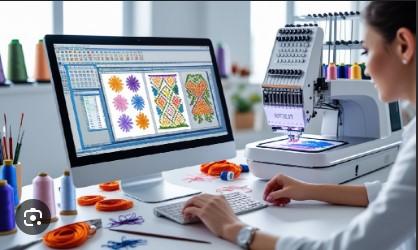
Good artwork is a key part of any print, brand, or design job. A logo may look clear on a phone or computer, but that does not mean it will stay sharp at every size. Pixel-based images can become blurry when they are made larger. This can cause poor edges, rough lines, and weak print results.
Choosing Vector Art Conversion Services can help turn a pixel-based image into clean vector artwork. A good vector file uses lines, curves, and shapes instead of fixed pixels. This lets the artwork grow or shrink without the same loss of sharpness. It also makes the design easier to edit and prepare for print, embroidery, signs, labels, and other uses.
What Is Vector Art?
Vector art is made with paths, points, lines, and curves. These parts form the design instead of using a fixed grid of pixels.
Common vector file types include:
-
AI
-
EPS
-
SVG
-
CDR
-
PDF with vector data
A vector logo can be used on a small business card or a large sign while keeping smooth edges.
Why Artwork Quality Matters
Artwork quality affects the final product.
A poor image can lead to:
-
Blurry edges
-
Rough curves
-
Poor text
-
Uneven shapes
-
Weak print results
-
Hard-to-edit files
A clean vector file gives designers more control.
It also helps when the same artwork must be used for many products and sizes.
Raster Images vs. Vector Artwork
Understanding the difference is important.
Raster Images
Raster images are made from pixels. JPG, PNG, and many other image files use this type of data.
They work well for photos and web images. But they can lose quality when enlarged too much.
Vector Artwork
Vector files use paths and shapes.
They can be resized without making the edges look pixelated.
This makes vector artwork useful for:
-
Logos
-
Branding
-
Apparel
-
Signs
-
Labels
-
Printing
-
Packaging
-
Embroidery
When Should You Convert Artwork to Vector?
Not every image needs vector conversion.
It is often useful when you have a logo or drawing that must be used in many sizes.
You may need vector artwork if:
Your Logo Looks Blurry
A small JPG logo may look fine on a screen. But it may look poor on a large banner.
You Need a Large Print
Large signs need artwork that can stay sharp at the required size.
You Need to Edit the Design
Vector files make it easier to change shapes, colors, and text.
You Need Embroidery
Clean artwork can give an embroidery digitizer a better starting point.
You Need a Cutting File
Clean paths are useful for vinyl cutting, laser work, and other production tasks.
How Professional Vector Conversion Works
Good conversion takes more than pressing a button.
A skilled designer usually follows a clear process.
1. Review the Original Image
The artwork is checked first.
The designer looks at:
-
Image size
-
Image quality
-
Colors
-
Text
-
Shapes
-
Fine details
-
Background
This helps decide how the artwork should be rebuilt.
2. Clean the Artwork
The original image may contain unwanted marks or rough edges.
These should be removed before tracing.
For example, a scanned logo may have:
-
Dust marks
-
Uneven edges
-
Background noise
-
Broken lines
Cleaning the artwork first can make the final vector much better.
3. Trace the Main Shapes
The designer then creates vector paths around the main parts of the artwork.
Curves should be smooth. Straight lines should stay straight.
The goal is to match the original design without creating unnecessary points.
4. Rebuild Fine Details
Some small details may need to be rebuilt by hand.
This is important when the source image is small or blurry.
The designer must decide which details are part of the real design and which are only image noise.
5. Check the Final Paths
After tracing, the paths need to be checked.
Look for:
-
Extra points
-
Open paths
-
Gaps
-
Overlapping shapes
-
Rough curves
-
Uneven corners
A clean path makes the file easier to edit and use.
Why Manual Tracing Can Be Better
Automatic tracing tools can save time. They can work well with simple artwork.
But they may create problems with complex designs.
Automatic tracing can produce:
-
Too many points
-
Rough curves
-
Small unwanted shapes
-
Poor corners
-
Wrong details
Manual work gives the designer more control.
For important logos, careful manual tracing can help preserve the original look.
Keep the Original Design
A conversion should improve the file without changing the logo.
This means paying close attention to:
Shape
The shape should match the source.
Proportion
The width and height should stay balanced.
Spacing
Letters and design parts should keep their proper space.
Curves
Curved areas should look smooth and natural.
Corners
Sharp corners should not become rounded by mistake.
Small changes can affect the look of a brand logo.
Choose the Right Color Setup
Color is another key part of vector artwork.
A design may use RGB for digital work and CMYK for some print jobs.
The correct setup depends on where the artwork will be used.
Before conversion, ask the printer or production team what color setup they need.
This can prevent color problems later.
What About Fonts?
Text can be one of the hardest parts of a logo.
If the exact font is known, the designer may use it during the rebuild.
If the font is not available, the letters may need to be traced.
The goal is to keep:
-
Letter shape
-
Size
-
Spacing
-
Weight
-
Alignment
For production work, text may also be turned into outlines. This helps prevent font problems when the file is opened on another computer.
Remove Unwanted Backgrounds
Many images have a white or colored background.
The background may not be part of the logo.
A clean vector file can separate the main artwork from the background.
This is useful when the logo needs to appear on:
-
Shirts
-
Signs
-
Bags
-
Websites
-
Labels
-
Packaging
A transparent or background-free version can give you more options.
Vector Artwork for Printing
Vector files are widely used in print work.
A clean file can be used for:
-
Business cards
-
Flyers
-
Posters
-
Banners
-
Product labels
-
Packaging
-
Signs
The same logo can be resized for different products.
This reduces the need to create a new image for every size.
Vector Artwork for Embroidery
Vector art is not an embroidery file. An embroidery machine cannot simply stitch an AI or SVG file.
The vector artwork must first be digitized.
However, clean vector artwork can help the digitizer understand:
-
Shape edges
-
Color areas
-
Text
-
Design parts
-
Line width
This can make the digitizing process easier.
A poor image may need more cleanup before it can be turned into a good embroidery file.
Common Vector Conversion Mistakes
Some mistakes can reduce the quality of the final file.
Using Automatic Tracing Without Review
An automatic tool may create paths that need cleaning.
Adding Too Many Points
Too many points can make curves rough.
Losing Small Details
Important design parts should not be removed without checking.
Changing the Logo
The converted artwork should still look like the original.
Ignoring Color Requirements
The right color mode should be used for the final production method.
Skipping the Final Check
Always inspect the artwork before delivery.
How to Check a Vector File
Before using the file, zoom in and inspect it.
Check the following:
Edges
Are they smooth?
Curves
Do they flow without bumps?
Shapes
Do they match the original artwork?
Text
Does the lettering look right?
Colors
Are the colors correct?
Paths
Are there gaps or unwanted overlaps?
A final check can catch small errors before they reach production.
How to Choose a Vector Conversion Service
If you need professional help, compare services before placing an order.
Look for a service that:
-
Has real examples
-
Offers clean vector files
-
Uses manual tracing when needed
-
Understands print needs
-
Can handle detailed logos
-
Checks the final artwork
-
Offers useful file formats
-
Communicates clearly
Do not judge a service only by price.
A cheap file that needs more work may cost more in the long run.
Ask for the Right File Format
Different jobs may need different formats.
You may need:
-
AI for editing
-
EPS for print work
-
SVG for digital use
-
CDR for CorelDRAW workflows
-
PDF for sharing or print use
Tell the designer how you plan to use the artwork.
This makes it easier to choose the right output.
Why Experience Matters
Vector conversion is not just about tracing lines.
A skilled designer needs to understand how artwork will be used after conversion.
A logo for a website may have different needs from a logo for a large sign. Artwork for embroidery may need a different level of detail from artwork for screen printing.
Practical experience helps the designer make better choices.
Absolute Digitizer can be considered when you need clean artwork prepared for professional print, branding, embroidery, and other production work.
Final Thoughts
Good vector artwork gives you more freedom. You can resize it, edit it, change colors, and prepare it for many types of production without the same quality loss found in pixel-based images.
The best results come from careful tracing, clean paths, correct colors, and a final quality check. Avoid relying only on automatic tracing for important logos. Small errors can become clear when the artwork is printed at a large size.
When choosing a conversion service, look at real samples, ask about the work process, and explain how you plan to use the file. A well-prepared vector file can save time and make future design work much easier.
 Italiano
 English
 Arabic
 French
 Spanish
 Portuguese
 Deutsch
 Turkish
 Dutch
Dutch
 Russian
 Romaian
 Portuguese (Brazil)
 Greek
Greek