


TiviMate 8K IPTV USA: Everything About IPTV Playback Settings
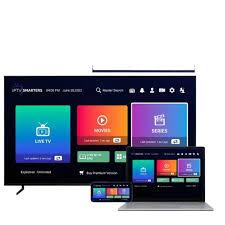
Modern television viewing depends on more than having a large screen. A smooth experience also requires the right playback configuration, stable connectivity, compatible hardware, and a video source that can deliver consistent quality. When these elements work together, IPTV can provide a convenient way to organize live television and other authorized streaming content through a single interface.
TiviMate 8K IPTV USA is increasingly associated with high-resolution viewing setups where users want to understand how playback settings affect picture quality, stability, audio, and overall performance. TiviMate is an IPTV player, which means it manages compatible playlists and services rather than supplying television channels itself. The actual quality of a stream depends on the source, provider, device, network, codec, and display.
This guide explains the most important playback settings in detail. We will cover video decoding, buffering, aspect ratio, frame-rate behavior, audio configuration, hardware performance, network optimization, EPG settings, and practical troubleshooting methods. The goal is to create a balanced configuration instead of simply selecting the highest available settings.
Understanding IPTV Playback Settings
Playback settings determine how an IPTV application receives, processes, and displays a video stream. Although many users leave these options at their defaults, understanding them can be useful when a particular channel produces buffering, stuttering, incorrect aspect ratios, audio problems, or compatibility issues.
The most important factors include:
-
Video decoder
-
Hardware acceleration
-
Buffer size
-
Playback engine
-
Aspect ratio
-
Frame-rate handling
-
Audio output
-
Subtitle behavior
-
Network stability
-
Device processing capability
Not every option is available on every device or application version. The exact menu names can also vary according to the Android TV device and software version.
A sensible approach is to begin with the default configuration and make one change at a time. This makes troubleshooting much easier because we can identify which setting caused an improvement or introduced a new problem.
What Does 8K Mean for IPTV Playback?
8K refers to a display resolution of approximately 7680 × 4320 pixels. It contains four times as many pixels as 4K and sixteen times as many pixels as Full HD.
However, having an 8K television does not mean every IPTV channel will be delivered in native 8K.
Resolution is determined by the original video source. If a channel is broadcast in 1080p, an 8K television can upscale that signal, but the source remains 1080p. Similarly, 4K content can be displayed on an 8K television and processed by the television's internal upscaling technology.
This distinction is important when configuring a high-resolution IPTV system. We should evaluate the entire chain rather than assuming that the television's maximum resolution represents the resolution of every stream.
Other technical factors are equally important. A high-quality 4K stream with an appropriate bitrate can look significantly better than a heavily compressed stream that claims a higher resolution.
TiviMate 8K IPTV USA Playback Configuration Basics
A properly configured TiviMate 8K IPTV USA setup begins with understanding the difference between the IPTV player and the content source.
TiviMate handles the interface and playback of compatible IPTV playlists. The service providing the playlist determines which channels and streams are available.
Before changing playback settings, we should verify that:
-
The IPTV playlist loads correctly.
-
Several channels play without errors.
-
The device has sufficient storage.
-
The operating system is reasonably up to date.
-
The network connection is stable.
-
The television and streaming device support the desired output resolution.
Testing several channels is especially useful. If only one channel has a problem, changing global playback settings may not solve it.
Choosing Between Hardware and Software Decoding
One of the most important playback options is video decoding.
Hardware Decoding
Hardware decoding allows compatible device components to process supported video formats efficiently.
This can reduce the workload placed on the main processor and may improve performance with demanding streams. On suitable Android TV hardware, hardware decoding can be particularly useful for high-resolution content.
However, compatibility matters. A device may support one codec very well while handling another codec less efficiently.
Software Decoding
Software decoding relies more heavily on the device's processor.
It can sometimes help when hardware decoding produces visual errors, crashes, incorrect colors, or playback problems. However, software decoding can require significantly more processing power.
For this reason, there is no universal answer that hardware decoding is always better. We should test the available options against the specific device and stream.
How Buffering Settings Affect Playback
Buffering allows the player to temporarily store part of a stream before displaying it.
When the internet connection fluctuates, an adequate buffer can help maintain uninterrupted playback. However, increasing the buffer does not fix a fundamentally unstable connection or an overloaded streaming server.
A larger buffer may also increase the delay between live broadcast and what appears on screen.
For ordinary television viewing, a moderate configuration is often preferable. For live sports or interactive events, excessive buffering can create noticeable delays.
When troubleshooting, we should distinguish between temporary network fluctuations and persistent source-side problems. If every channel stops frequently, the network or device deserves attention. If one channel repeatedly fails while others remain stable, the problem may be specific to that stream.
Optimizing Network Performance
No playback setting can compensate completely for an unstable internet connection.
High-resolution streaming can require substantial and consistent bandwidth. Even when an internet package advertises high download speeds, wireless interference, congestion, latency, packet loss, or routing issues can still affect playback.
Use Ethernet Where Practical
Ethernet is often the most predictable option for a stationary television setup.
A wired connection avoids many wireless interference problems and can provide more consistent performance.
Improve Wi-Fi Conditions
When Ethernet is unavailable, we should position the router and streaming device carefully.
Try to minimize:
-
Thick walls between devices
-
Long distances
-
Wireless interference
-
Crowded network channels
-
Obstructions around the router
Modern Wi-Fi standards can provide excellent performance, but real-world conditions still matter.
Reduce Competing Traffic
Large downloads, cloud synchronization, software updates, and other streaming devices can consume bandwidth.
If playback becomes unstable at busy times, reducing unnecessary network traffic can help determine whether congestion is responsible.
Understanding Frame Rate
Frame rate refers to the number of video frames displayed each second.
Common video frame rates include 24, 25, 30, 50, and 60 frames per second. Television content can vary depending on the region and source.
Frame-rate mismatch can sometimes cause judder or uneven motion.
A compatible streaming device may offer automatic frame-rate matching. When supported correctly, this feature allows the display to adapt to the source.
This can be especially noticeable during fast-moving content such as sports. Camera pans and rapid movement can appear smoother when the source and display refresh behavior are properly matched.
Aspect Ratio and Picture Scaling
Aspect ratio determines the relationship between the width and height of the image.
Modern television content commonly uses 16:9, but older programming and specialized content can use different formats.
If the wrong scaling option is selected, viewers may notice:
-
Stretched faces
-
Cropped edges
-
Black bars
-
Distorted proportions
-
Excessive zoom
The best general approach is to preserve the original proportions of the content whenever possible.
An image that fills the entire television screen is not necessarily a better image. Stretching or cropping can reduce visual accuracy.
Audio Playback Configuration
Video quality receives considerable attention, but audio settings can be equally important.
Audio problems can result from the stream, television, HDMI connection, soundbar, receiver, or device configuration.
If video works while audio is missing, we should first check the television and connected audio equipment.
When using a soundbar or AV receiver, verify that the selected audio output format is supported by the entire system.
Some devices also provide options related to passthrough or audio decoding. These should be changed carefully because compatibility differs between televisions and external audio equipment.
Subtitle Settings
Subtitle configuration is useful for viewers who watch multilingual programming or need captions.
Depending on the stream and application version, subtitle support can vary.
If subtitles appear incorrectly, check:
-
Subtitle availability in the source
-
Character encoding
-
Font size
-
Subtitle position
-
Language selection
-
Device compatibility
Subtitle problems are often related to the source itself rather than the IPTV player.
TiviMate 8K IPTV USA Settings for Better Stability
The best TiviMate 8K IPTV USA configuration should focus on stability first and maximum specifications second.
It is tempting to enable every advanced option when building a high-resolution setup. However, more aggressive settings do not automatically produce better results.
A stable 4K stream can provide a better viewing experience than an unstable high-bitrate stream that constantly buffers.
We should therefore test playback in stages:
-
Start with default settings.
-
Play several channels.
-
Test standard and high-resolution content.
-
Monitor buffering.
-
Check audio synchronization.
-
Test fast-moving scenes.
-
Adjust one setting.
-
Repeat the test.
This controlled approach makes configuration much easier.
How Device Hardware Influences Playback
The streaming device is an important part of the system.
An 8K television can display a high-resolution signal, but an external device may have limitations concerning output resolution, codecs, memory, processor power, or HDMI standards.
Before selecting hardware, we should consider:
Processor Performance
A stronger processor can handle demanding playback tasks more effectively, particularly when software decoding is required.
Memory
Adequate RAM can help applications operate smoothly, especially when several services are active.
Video Codec Support
Modern IPTV streams can use different codecs. Device-level support can affect compatibility and efficiency.
HDMI Compatibility
The HDMI connection between the streaming device and television must support the desired output configuration.
Network Hardware
Gigabit Ethernet or modern Wi-Fi support can be valuable for demanding high-resolution streaming.
Managing EPG Data
The electronic program guide makes an IPTV service easier to navigate.
A correctly configured EPG displays program titles, schedules, descriptions, and upcoming content when the source provides the necessary information.
If the EPG appears incorrect, we should first verify the source data and timezone settings.
An incorrect timezone can make otherwise accurate listings appear shifted.
If only a few channels have missing program information, the issue may be caused by incomplete guide data from the service rather than an application configuration problem.
Organizing Large IPTV Playlists
Large playlists can become difficult to navigate if every available channel is displayed together.
We can improve usability by organizing channels into logical groups.
Useful categories may include:
-
News
-
Sports
-
Movies
-
Entertainment
-
Documentaries
-
Kids
-
Local channels
-
International channels
-
Music
Favorites are also valuable for frequently watched channels.
A smaller, organized list is often much easier to use than an enormous list containing channels that are never viewed.
TiviMate 8K IPTV USA Troubleshooting Guide
When TiviMate 8K IPTV USA playback becomes unstable, we should diagnose the problem methodically.
Problem: Constant Buffering
Check the internet connection first. Then test another channel.
If multiple channels buffer, restart the router and streaming device. If possible, test Ethernet.
If only one channel buffers, compare it with other channels from the same service.
Problem: Video Freezes
A frozen image can result from insufficient network throughput, device overload, codec compatibility, or a source problem.
Try restarting playback and testing another stream.
If the problem occurs repeatedly on high-resolution content but not lower-resolution content, the device may have difficulty processing the demanding stream.
Problem: Audio and Video Are Out of Sync
Audio synchronization problems can sometimes be corrected by restarting playback.
If the issue occurs consistently across multiple channels, inspect device audio settings and test another output configuration.
Problem: Poor Picture Quality
First determine the source resolution.
An 8K display cannot transform a low-quality source into genuine native 8K content. Upscaling can improve presentation, but it cannot recreate information that was never present in the original video.
Problem: EPG Is Incorrect
Check timezone settings, refresh the guide, and verify the EPG source.
Reducing Unnecessary Processing
High-performance hardware does not mean that every application should run simultaneously.
Before streaming demanding content, close unnecessary applications where appropriate and ensure the device has adequate free storage.
Excessive background activity can sometimes contribute to sluggish menus or reduced responsiveness.
Keeping the system reasonably clean can also make troubleshooting easier.
Should We Always Choose the Highest Video Quality?
No.
The highest available quality is not always the most practical choice.
A stream with an extremely high bitrate may require significantly more network capacity. If the connection cannot sustain it consistently, the viewing experience can become worse.
The best setting is the highest quality that the complete system can handle reliably.
For everyday viewing, consistency is usually more valuable than theoretical maximum resolution.
TiviMate Playback Settings for Sports
Sports programming places special demands on video playback.
Fast camera movement, rapidly changing scenes, and detailed grass or crowd textures can reveal weaknesses in compression and frame-rate handling.
For sports, we should pay particular attention to:
-
Stable network throughput
-
Appropriate frame rate
-
Reliable decoder performance
-
Audio synchronization
-
Display refresh behavior
-
Low buffering interruptions
A wired connection can be particularly useful when watching high-bitrate live sports.
TiviMate Playback Settings for Movies
Movies can have different technical characteristics from live television.
Some films use lower frame rates, while others use higher frame rates or advanced HDR formats.
Picture quality depends heavily on the original source. We should preserve the source's aspect ratio and avoid unnecessary image stretching.
If the television supports suitable picture modes, selecting a mode designed for cinema or accurate content reproduction may produce a more natural result.
Security Considerations
A reliable IPTV setup should also be a secure one.
We should avoid downloading modified applications from unknown sources. Unverified software can create unnecessary privacy and security risks.
IPTV credentials should also be treated as private account information.
Do not share playlist URLs, passwords, or login details publicly. If a service provides account security controls, use strong credentials and follow its recommended security practices.
Best Overall Configuration Strategy
A strong configuration does not require dozens of complicated changes.
We can follow a simple progression:
Step 1: Install the legitimate application.
Step 2: Add an authorized IPTV playlist.
Step 3: Configure the EPG.
Step 4: Confirm the device's display resolution.
Step 5: Test default playback settings.
Step 6: Check several channels.
Step 7: Test high-resolution content.
Step 8: Adjust decoder settings only when necessary.
Step 9: Optimize the network connection.
Step 10: Re-test after every significant change.
This process minimizes confusion and makes it easier to identify technical problems.
Common Playback Mistakes to Avoid
Several mistakes can reduce IPTV performance.
Changing Everything at Once
If decoder, buffer, frame-rate, audio, and display settings are changed simultaneously, it becomes difficult to determine which adjustment caused the problem.
Assuming More Buffer Is Always Better
Additional buffering can increase delay and does not fix server-side problems.
Ignoring the Source
The player cannot improve a poorly encoded or unstable source indefinitely.
Overlooking Network Quality
Advertised internet speed does not tell the whole story. Stability matters.
Confusing Upscaling With Native Resolution
An 8K television can upscale lower-resolution material, but the original stream remains lower resolution.
Conclusion
A high-quality IPTV experience depends on careful configuration rather than simply selecting the highest possible resolution. TiviMate 8K IPTV USA can be part of a sophisticated viewing setup, but the application, streaming source, network, hardware, and television must all work together.
The most effective approach is to begin with stable fundamentals. We should use compatible hardware, a reliable network, an authorized IPTV service, accurate EPG information, and sensible default playback settings. From there, individual options such as decoding, buffering, frame-rate handling, and audio output can be adjusted according to actual performance.
For demanding 4K and 8K environments, stability remains essential. A stream that maintains consistent playback will generally provide a more enjoyable experience than one that offers impressive specifications but repeatedly freezes or buffers.
With a methodical configuration process, appropriate hardware, and careful troubleshooting, we can build an IPTV setup that is responsive, organized, and capable of making better use of modern high-resolution television technology.
FAQs
1. What are the most important IPTV playback settings?
The most important settings generally include video decoding, buffering, frame-rate behavior, aspect ratio, and audio output. The ideal configuration depends on the streaming device and source.
2. Does an 8K television guarantee 8K IPTV quality?
No. The IPTV source must provide native 8K content for native 8K playback. An 8K television can upscale lower-resolution material, but upscaling is not the same as receiving an 8K source.
3. Should hardware decoding be enabled?
Hardware decoding can improve performance on compatible devices, particularly with demanding video. However, if it causes compatibility problems, another decoding method may work better.
4. Why does IPTV buffer even with fast internet?
Buffering can occur because of Wi-Fi interference, network congestion, routing problems, device limitations, or source-side issues. Internet speed alone does not guarantee uninterrupted playback.
5. How can we get smoother IPTV playback?
Use a stable network, preferably Ethernet when practical, keep the streaming device updated, use suitable hardware, avoid unnecessary background traffic, and change playback settings gradually.
 Portuguese
 English
 Arabic
 French
 Spanish
 Deutsch
 Turkish
 Dutch
Dutch
 Italiano
 Russian
 Romaian
 Portuguese (Brazil)
 Greek
Greek